I didn’t manage to achieve a whole lot in my 1st sprint, I mostly looked at the guest frontend and poked around Thea’s pantry. I’m going to make sure next sprint I actively work on the issues my team has in the backlog.
The only change I made to the pantry was a branch in guestinfofrontend named add-linters that I was planning on adding the Alexjs linter to. Unfortunately I never got around to actually adding it, and it seems that the other teams have already handled the adding of linters to the project.
Next sprint I plan on focusing on the inventory frontend and actually making and commiting changes. I do not want to let my team members do all the work.
Our team has reflected on our recent project experiences and identified areas where we can strengthen our collaboration to improve project outcomes. Here’s a breakdown of what worked well and what didn’t, along with proposed changes for improvement:
Successes:
We successfully completed a significant portion (75%) of small tasks.
Our meetings were productive, fostering meaningful discussions.
Communication among team members was clear and effective.
Challenges:
Difficulty with Docker-compose and documentation tasks due to inaccurate task weighting.
Essential details were not easily accessible, often buried within overarching epics.
Task distribution among team members was uneven.
Overreliance on one team member for handling GitLab logistics.
Limited collaborative assistance on individual issues.
Proposed Team Improvements:
Foster a culture of teamwork by encouraging mutual assistance on tasks.
Assign task weights more accurately based on lessons learned from previous sprints.
Improve team proficiency with GitLab and provide support as needed.
Ensure that issue details are readily accessible within individual tasks.
Distribute task assignments more evenly among team members.
Proposed Individual Improvements:
Communicate problems to teammates or the professor promptly for timely resolution.
This week for CS448 – Capstone, I read about the “Breakable Toys” Individual Apprenticeship Pattern; while I did not know it when I selected this pattern, it relates back to two other patterns I analyzed earlier in the semester: “The White Belt” and “Confront Your Ignorance”.
The “Breakable Toys” pattern encourages craftsmen working in high-risk environments intolerant of failure to create personal projects, referred to as ‘Breakable Toys’. These projects are typically smaller in scope but similar in toolset to work systems, providing a safe space for experimentation and learning through failure. The pattern advises building tools like wikis, calendars, or address books, which may be overengineered but allow for trying new ideas without significant consequences. Given the book’s original publishing in 2009 and the progression and advancement of technology/platforms since then, other tools and platforms may be more applicable and resources like Git make tracking and controlling versions easy.
The focus is on personal growth, skill development, and enjoying the learning process, ultimately fostering a deeper understanding of tools and encouraging continuous improvement. In this way, this pattern is similar to “The White Belt” and “Confront Your Ignorance”, but focuses on building off of prior knowledge in a low-stress environment rather than ignoring it.
I really enjoyed reading about this pattern and its benefits as it is one of my favorites to implement – actually, while reading it I realized how many skills I have picked up using this method. As an individual, when I learn new skills/tools I naturally want to practice them and their non-instructed limitations as well as just generally play around. While a lot of what I learn may not be directly related to my initial task, I usually pick up a few things that are unbelievably useful later on and give me an advantage in addressing challenges.
The clearest example of this which comes to mind immediately is learning Apache POI and PDFBox early in my Computer Science degree/education. I had a lot of experience with basic Microsoft Office applications and was beginning to understand the power of OOP through my Java learning, so the summer after my first semester I decided to learn how to connect the two. By the end of my project, I was confident in reading/manipulating data from Excel, generating new files or report generation, format text and images in PDF documents, and more. All of this was possible because I took it upon myself to research and create my own “breakable toy” environment to learn in.
Sources: Hoover, Dave, and Adewale Oshineye. “Apprenticeship Patterns: Guidance for the Aspiring Software Craftsman.” O’Reilly Media, 2009.
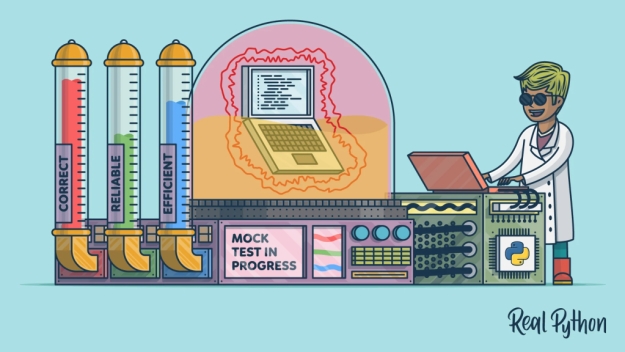
Understanding Mock Objects: A Journey from Confusion to Clarity
When I first stumbled upon the concept of “mock objects,” it was during my foray into the Extreme Programming (XP) community. The term has since become more prevalent, particularly among those versed in XP-influenced testing literature. Yet, mock objects are frequently misconstrued, often mixed up with stubs, which serve as basic aids in testing environments. This confusion is understandable;
Mock objects represent a nuanced divergence in the realm of software testing, embodying both a shift in test result verification—state versus behavior verification—and an ideological split in testing and design methodology: classical versus mockist Test Driven Development (TDD).
Diving into Testing Styles
To elucidate, let’s consider a straightforward example: testing an order system interacting with a warehouse. In traditional state verification tests, we’re primarily concerned with the end-state of the system under test (SUT) and its collaborators after the exercise phase. Here, both the SUT (Order) and a real collaborator (Warehouse) are employed, focusing on the system’s final state to verify test success.
Conversely, tests utilizing mock objects—like those in the jMock library—adopt behavior verification, emphasizing the interactions between the SUT and its collaborators. Instead of a real warehouse, a mock warehouse is used, setting expectations for how the SUT should behave. This approach focuses not on the final state but on ensuring the SUT makes the correct calls to its collaborators.
Exploring Classical vs. Mockist TDD
The distinction doesn’t stop at test execution. It extends into the philosophy behind the testing approach. Classical TDD practitioners utilize real objects where feasible, employing stubs or mocks primarily for cumbersome collaborators.
Mock objects are born from the XP community’s focus on TDD, where design evolves through test iterations. This “need-driven development,” particularly championed by mockists, advocates for outside-in programming, starting from the topmost user interface layer and working inwards, designing the system piece by piece.
Fixture Setup and Test Isolation
Fixture setup and test isolation further differentiate the two approaches. Classic TDD often involves extensive fixture setup, creating the SUT along with all necessary real collaborators. Mockist TDD, by contrast, requires only the SUT and its direct mock collaborators, potentially simplifying test setup
Design Implications and Personal Reflections
The decision between classic and mockist TDD extends beyond mere testing strategy; it influences design philosophy and system architecture. Mockist TDD tends to encourage more decoupled, modular designs, as each component’s interactions are explicitly defined and isolated.
As someone who initially grappled with understanding mock objects, I’ve come to appreciate their value in elucidating system behaviors and fostering thoughtful design. Yet, the choice between classical and mockist TDD ultimately depends on individual project needs, team preferences, and the specific challenges at hand.By understanding the nuances between these approaches, developers can make informed decisions that best suit their projects, fostering environments where quality software can thrive.
For our first sprint in the software development capstone course at Worcester State University, our team was tasked to investigate epics attached to multiple repositories within the Thea’s Pantry Gitlab page. We also needed to learn how to use Gitlab’s productivity and team management tools as we went along so we could appropriately divide up tasks among ourselves and monitor our progress. Most of our work was accomplished within the GuestInfoSystem repository and its component microsystems. We also spent time investigating the component InventorySystems in preparation for construction of test suites in the next sprint. I personally contributed to the issues attached to GuestInfoBackend, as well as contributed to sprint planning during team standup meetings and meetings outside of classroom hours.
The specific issues that our team was tasked with resolving were configuring the repositories within GuestInfoSystem for remote Gitpod development environments, renaming the ‘commands’ directory of each repository to ‘bin’ and modifying any scripts that reference the ‘commands’ directory to reflect the name change, and integrating the AlexJS linter into the Gitlab commit pipeline. After that work was finished, we would be responsible for investigating the GuestInfoSystem and InventorySystem repositories to prepare to build testing suites for the frontend and backend services during our next sprint.
Before we started work on the issues, we came together as a team to discuss how much time and effort would likely go into the completion of each task, using the weight system used by Gitlab as an estimate. The weight system is a scale from 0 to 3, with each increasing level of weight meant to represent a relative increase in time and effort necessary to resolve the issue. We attached a weight of 0 to some of our tasks while planning our sprint, which may have led us to expect that some of our work wouldn’t take as long as the task would end up requiring of us. The 0 weight in this system represents a task that shouldn’t take more than a few minutes. The only issue that we worked on this sprint that I would still argue would constitute zero weight would be the renaming of ‘commands’ to ‘bin’. Everything else required more investment of our time and concentration than we had anticipated, in part because we were still learning how to use Github’s tools to coordinate as a software development team.
Once we had agreed as a team on which weight values to assign to each of our issues, we decided to begin our sprint with preparing the repositories for development in Gitpod. Instead of cloning code from the Thea’s Pantry Gitlab page to our personal machines, we can open the repository files in a web browser based Visual Studio. This remote workspace is maintained by Gitpod for as long as we are working in it, and for 14 days of inactivity afterward. To create a workspace for the repository we want to work on, there are tools within Gitlab that allow for easy creation of a new development branch based on an issue, as well as the creation of a new Gitpod workspace based on that branch. I’ve been getting to enjoy using these remote development features, personally, and I appreciate how I can have access to all the functionality of Visual Studio without needing to install extensions on my machine.
To get each repository configured for development in Gitpod, we needed to copy the names of our desired settings from the existing ‘.devcontainer/devcontainer.json’ into ‘.vscode/settings.json’, and to copy the names of the extensions that each repository requires into ‘.gitpod.yml’, a file that can be created in the repository while working in Gitpod by using the terminal command ‘gp init’. However, we found that because of a part of the Gitlab pipeline that lints the files in the repository, we needed to change the formatting of some of the files created by that command so that no lines were longer than a certain character limit. In hindsight, I think it would have been better to try and include those files in the ignore files for the linter extensions. Ignore files are files that point to other files and directories within the repository that we don’t want the linter to review or raise any issues with. We began to recognize the utility of ignore files near the end of our sprint, but at the outset it hadn’t occurred to me to try and get around the linter errors by adding the newly created Gitpod files to an ignore list.
The issue that challenged me the most was adding the AlexJS linter to the GuestInfoBackend and to the Gitlab commit pipeline. I wasn’t anticipating that I would struggle with a task like this, because I thought I would just need to type ‘AlexJS’ into a few files and I would be done with it. While that was part of the process, I also needed to add certain files like licenses and the Code of Conduct to an ignore file. The linting process would have returned a failure status otherwise because those files contained text that would be flagged by the linter. I also spent more time I would like to admit waiting for the linting process to finish while it was iterating through the lengthy ‘node_modules’ directory. That directory needed to be added to this repository’s linter ignore files to avoid an unbearably long (and doomed to fail) linting process. I also realized by the end of the sprint that I had misunderstood the task to add AlexJS to to the Gitlab pipeline, and I had only added AlexJS to the lint shell script within the development environment. In the future I’m going to make sure I review a linter’s ignore file when newly installing it into a repository.
My most significant takeaway from this first sprint is that I shouldn’t underestimate the effort I’ll need to invest into issues that sound like they’re well within my comfort zone. We’re working as part of a cooperative effort on a complex software project, and that requires an advanced degree of communication and attention to detail. I’m not going to be able to go into tasks assuming that they will be easy just because they sound similar to problems I’ve solved before.
Recently in CS443 – Software Quality Assurance and Testing we’ve been learning some of the conceptual aspects of code testing that are required to identify the relevant points of programs to test as likely break points. We’ve primarily learned about Boundary Value and Equivalence Class testing strategies, so I decided to find a blog to learn more about each of these from a third-party perspective. I landed upon a (relatively) recent blog on TestSigma – a (automatic) testing platform – from June 2023.
The post discusses the overall importance of software testing in ensuring functionality and reliability of software products focusing on the defining aspects of the two methods we’ve been learning: ‘Bound. Value Analysis’ (BVA) and ‘Equiv. Class Partitioning’ (ECP). BVA concentrates on testing the boundaries of a system to identify vulnerabilities, while ECP groups similar items into equivalence classes, helping testers target specific areas with a higher likelihood of containing bugs.
Benefits of applying BVA and ECP in software testing include improved understanding of the system, simplified test design, better test coverage, prioritization, and risk management. The applications of these techniques extend to various scenarios, such as database testing, network testing, hardware testing, time-based functionality, and UI testing. An interesting point that the article emphasizes is that BVA and ECP are often used together, providing an example of testing a form that accepts age as a number. It suggests partitioning the age range into groups for more effective testing while also considering likely break points.
Common challenges discussed to avoid when using BVA and ECP include restricting testing to input values alone, making assumptions about limits and classes, ignoring user behavior, over-relying on these techniques, and neglecting edge cases. The post concludes by comparing BVA and ECP, highlighting their differences in testing approaches and summarizing them as thought processes that enhance testers’ understanding of the system, leading to improved test coverage and strategy.
Test automation for BVA and ECP using tools like TestSigma (or other softwares) is also discussed, highlighting the potential benefits of saving time, ensuring accuracy, and achieving better test coverage. However, the decision to automate tests should be made considering the cost and benefit of automation and set-up.
Overall, this post taught me some interesting differences between BVA and ECP as well as reinforcing the benefits and basics we learned in class. One interesting aspect of this blog that I noticed in review is that it was written by author Apoorva Ram, a non-white woman in the computer science and specifically software engineering industry. This demographic represents a sparse minority in the computer science field and worth recognizing alongside their contribution with this and other blogs.
Because this sprint was our first working together as a group, learning how each of us felt about working in a team in general was important. One thing we all mentioned was how in our previous experiences, group work tended to be inconsistent in terms of communication and deliverables. This meaning that sometimes a group member would not communicate throughout the duration of the project, and would not have any work to show they have been actively working towards the end project goal. In order to combat this, we decided to have weekly in-class meetings (specifically on Thursdays). Having weekly in-class meetings worked well because there was consist communication throughout the sprint. If any group members had any questions, weekly meetings also gave opportunity for those questions to be answered in a timely manner, if not addressed between meetings. Something else that worked well was having a separate text group chat, rather than only having Discord as our main form of communication. Having a text group chat seemed to be a more reliable form of communication for the team.
What did not work well
As briefly mentioned above, having Discord be our main mode of communication did not work well. In the beginning of the sprint, some of us did not have the Discord app installed on our phones which led to not receiving notifications. This became problematic because there would be missed messages. What also did not work out well was leaving completed issues and merge requests to be reviewed at the end of the sprint. Leaving code reviews to the end of the sprint led to many merge conflicts and extra work that could have been avoided.
Changes to make as a team
One change that could be made as a team is to review merge requests as they are completed, rather than waiting until the end of the sprint. Resolving an issue and completing merge requests as they are finished is a more efficient workflow because the number of merge conflicts is dramatically reduced. When numerous merge requests are made on the same repository, some merge requests will have changes that others do not which is what led to the merge conflicts. Another change that should be made is being more clear as to when we are having meetings. Although stated above that having weekly meetings worked well, there were times where we had to reschedule to meet during the Tuesday class time rather than the Thursday class time. Normally this would not be an issue; however, there were a few instances where some would be there for the meeting, while some would not be due to confusion on when we were actually meeting that week.
Changes to make as an individual
A change that could be made as an individual is responding more promptly. Delayed responses from myself, mainly came from the beginning of the sprint when the team/I were having some communication problems when only using Discord which led to the suggestion of a separate text group chat.
Hi everyone, my name is Abdullah Farouk, for those who didn’t know, and this is going to be my first sprint retrospective of the semester. First, I will start out by saying, considering this whole thing is brand new to us, we did a great job working with this new style and adapted quickly to all the changes. Don’t get me wrong, there is still a lot of room for improvement from everyone in the team, but we successfully passed through the first sprint. This sprint consisted of us getting familiar with libre food pantry more and to see how this scrum framework actually go. The first thing we did in the beginning of the semester was weighing the different issues and breaking some epics into smaller issues and assigning it to our team. We then organized the issues on which one we wanted to do first and so on. I worked on most of the issues during class time, which worked out nicely because I had my teammates there to help me with things just in case, I got stuck, which I did sometimes. I liked meeting in person instead of virtual meetings, as I think we do more work when we see each other instead of behind a computer screen.
One thing that I would say didn’t work out well was how we weighed the issues in the beginning. Some of the issues took less than what we had anticipated, and some took way longer, to the point that we finished only half of the last issue left for the sprint and therefor had to leave the issue to next sprint. Another thing that we were struggling with was communicating outside of class time. I take some of the blame myself as I do not have discord installed on my phone and therefore, I only check it at night time or when I get home from work. Some of the issues we had made, we didn’t add a description to it, so it was a little harder for me to figure out what they want me to do just from the title, so I had to ask classmate to double check.
Other than those minor issues, I think me, and the team did a great job going through these issues and completing them on a timely basis. To improve as an individual, I will try to check discord more often to communicate better with my team. To improve as a team, I think we should start adding a description of the issue under the title just so we don’t get confused and be more organized I would say.
I sat up to work with VS code in Gitpod rather than devcontainer which was a little bit tricky because I didn’t know what gitpod was until that moment.
Summary of the Pattern: “The Deep End” pattern is about deliberately taking on roles or projects that stretch your abilities beyond your current comfort zone. It’s predicated on the idea that significant professional growth often comes from tackling challenges that seem slightly beyond our reach. This pattern encourages individuals to seek out opportunities that demand a rapid acquisition of new skills and adaptation, thereby accelerating their learning curve and enhancing their resilience in the face of complex problems.
My Reaction: Upon first reading about “The Deep End,” I was both excited and intimidated. The idea of purposefully putting oneself in challenging situations as a strategy for growth is as daunting as it is inspiring. This pattern speaks to a deeper truth within professional and personal development: growth is not found in the comfort zone. My reaction is a mix of eagerness to apply this pattern in my own career trajectory and a cautious awareness of the balance required to avoid being overwhelmed by challenges.
Insights and Changes in Perspective: Reflecting on “The Deep End” has led me to reassess my own career path and the opportunities I’ve chosen to pursue. It made me realize that some of my most rewarding experiences came from times when I was out of my depth, forced to learn, adapt, and grow in ways I hadn’t anticipated. This pattern has shifted my perspective towards seeing high-pressure situations not as threats but as opportunities to push my boundaries and accelerate my growth. It’s a mindset shift that encourages embracing challenges as catalysts for development.
Disagreements and Critiques: A possible critique of “The Deep End” is the risk of burnout or failure when taking on too much, too soon. The balance between challenging oneself and knowing one’s limits is delicate. While I agree with the core premise of the pattern, it’s crucial to approach such situations with a clear understanding of personal and professional support systems and a realistic assessment of the risks involved. It’s about finding the right challenges that push you without pushing you over the edge.
Conclusion: “The Deep End” pattern offers a powerful framework for thinking about professional growth and development. It challenges us to redefine our relationship with discomfort and uncertainty, viewing them as necessary elements of meaningful progress. As I look to the future, I’m more open to opportunities that may initially seem daunting, with the understanding that these experiences are invaluable for developing the skills, confidence, and resilience needed to succeed in an ever-changing professional landscape.
Being the first sprint of the Capstone class, there was a lot for me to learn working as a team and also as an individual.
As a team, we all worked very well together in all stages of the sprint. There was good communication which helped us coordinate meeting times both online and in-person. Evidence of our synergy would be through the fact that we were able to meet our estimated 20 weight completion by the end of the sprint. I would attribute the large success of our sprint to our commitment to meeting at least once in person every week throughout the duration of Sprint 1. This allowed us to really work together as team to figure out the issues and workflow, which was brand new to us all.
However, it was not all sunshine and daisies. The team made multiple mistake along the way which had slowed us down on occasion. Two big problems for all of us was navigating GitLab and getting used to the workflow. Aside from getting lost and figuring out the UI, we were unsure at first how to post our issues and how to create branches for our changes. It was also confusing how and when to approve merge requests. We had waited for all our issues to be completed before doing the review, which created merging conflicts and caused certain pipelines that were dependent on the other issues to fail.
For the next sprint, we plan to have a “Workflow tips” shared document that includes all our mistakes from Sprint 1 and their solutions so that we do not make the same mistake again. For example, instead of waiting to review everything at the end, the team will review issues as they are completed. We also know to create merge requests directly from the issue, and to edit the merge request properly so that it meets all workflow requirements.
As for me, an individual member of the team, I acted as SCRUM master and worked to communicate with the professor for the team during meetings, preparing notes and organizing the thoughts of the team. However, I had failed in some parts to organize tasks for myself, missing one stand-up post due to negligence. Now that I have a better understanding of how the workflow and meeting dates work, I will be more prepared in the next sprint.