Many times in testing, the thing being checked is whatever state the object that is being returned is in. While this makes sense for testing whether the output is correct, there are often times you want to make sure that the correct variables are being defined and used. In define-use testing this is exactly what is done. In define-use testing, simple ordered pairs of the lines of code in which the object is created followed by the line the object is used, are created. I.E < 3, 5 >. This allows the user to make sure there is no unused objects that can take up memory for no reason. You can also follow the path of these objects to make sure they are being executed in proper order.
If you have ever been around anything web-based, there is a
good chance you have heard or come across angular. Angular for those unfamiliar
is a framework that allows for a wide range of possibilities. Angular all stems
from 4 main parts: components, dependency injection, property bindings and
typescript. Components are what Angular is entirely composed of. Most things
created in Angular are components or collection of components. While there are still
a few other concepts to angular, components are the most prominent. Components
are usually comprised of HTML, CSS and JS but with angular, these are all
combined into an easy to manipulate sense to allow for customization of the
components. The next part of angular is the dependency injection which helps
largely with dependency management. Dependencies are all in a collection together
and when new components are created, the dependency for that object is
automatically created and put into the collection alongside the other dependencies.
This allows for the user to easily streamline dependency management as angular
is able to “automatically” create and track dependencies. The next main aspect
of angular is the property bindings. What this means is that the data that the
app contains is separate from the what is being presented. This allows for the
user to make changes to this data and automatically have it update and be
displayed on the presentation side. This allows for the user to seamlessly update
anything needed in real time. The last part of angular is the support and use
of typescript. Javascript, for the ones unaware, is a subset of typescript.
Typescript allows for a very straight forward approach to writing javascript.
The user is able to write the code needed in typescript and it will be automatically
generated into javascript to be used by the app.
The main benefit of angular is allowing for users to easily
be able to build large scale apps with everything being self-contained in the program.
A lot of the complicated processes that went along with developing apps are now
very easy to be implemented with Angular. People that are not skilled in javascript
generally have a much easier time adapting typescript due to the fact that the syntax
is not all too different from java. Most skilled programmers are able to pickup
and implement typescript rather quickly. This allows for almost anyone to be
able to create and build large scale apps without having to personally be
responsible for many of the complications that would prevent people from trying.
If you want to learn more, this website has a great overview
of Angular:
Hello again my few readers, sorry I haven’t posted in a while but as you all know, I am a heavy procrastinator hence why I have 6 weeks to write 6 blogs in order to obtain an A in my class. Luckily, I am attending a presentation today so now I only have to write 5 blogs. Regardless, lets get this show on the road.
Today, I am going to talk about a blog with the title of “How Testers Can Become Agents of Change” Honestly, kind of a long title, but I don’t mind. The article is pretty short overall with 5 short sections. The first section is simple introduction to what the blog entry is going to be about. That is kind of like what I did for the first paragraph of this post. The author asks the reader to consider what they think is difficult at their job and how they will overcome said difficulty. Honestly, so far this sounds like one of those inspirational talks with some really outdated famous celebrity talking about how to be like them. This isn’t a bad thing, I just found that to be funny.
The post then explains how to identify opportunities for change. She mentions how there are three types of change: “Tool’s, processes, and people” (Norville) I assume this can mean that staff is always changing, methods are always changing, and tools are always changing which makes sense in a working environment. She says that anyone can bring change which sounds kind of cheesy, but I do like that because this shows that somebody like an Intern can bring about change. She then mentions a start, stop, continue model which is explained as the team discussing what they should stop doing, and what they should start doing. She uses an agile group as an example here and we learned about agile last semester.
Norville then talks about how to actually enact this change. This section is broken up into several subtopics which I think makes an article look cleaner and more organized. She tells the reader to know their audience in order to persuade them in the best way possible. She also says to fully understand the problem which is self explanatory. She describes the pitch as a way of presenting your information and evidence to the person you are trying to convince. This kind of follows the know your audience path. She also tells the reader to poke holes in the pitch. This is interesting because it is kind of exactly like testing where you try and break the code in order to ensure quality.
The last real paragraph is some tips that you can use in case you hit some bumps. The first of the tips is “Don’t Give Up” (This is in every inspirational post I swear). But regardless, it is true, even if you hit a bump along the way, you shouldn’t give up. The next tip is finding a team. This can be helpful with the knowing your audience part because everybody is different. She mentions learning from others successes, and I think this one is helpful because you can use methods that other people used to get your point across.
The actual last paragraph is just a closer telling the reader to start enacting change. I did enjoy this article, however this seems like an article that was directed at everyone rather than just testers. This isn’t a bad thing, but I would have liked to see more direct examples of how Software Testers can enact change. Overall this was a very well written blog. It was short and concise, and it was organized very well. I would recommend this article to anyone who is trying to make changes in their workplace, but they donf’t know how to start.
As someone fairly new to coding, learning new languages is both fun and painful. When I heard we were going to be doing some web development, I figured Javascript would be involved, and I had a brief moment of panic. I am a frequenter of subreddits like /r/programmerhumor, or other humor-based tech blogs, and there is a lot of dogpiling on Javascript as a language. It gets a lot of flak for being very weakly typed, and for its default behaviors utilizing this weak typing leading to a lot of wacky and confusing results for people who aren’t deeply familiar with the language. A quick example:
When I discovered we would be using Typescript (And what Typescript was), it was a bit of a relief. The way that the language looks just feels more comfortable to me, especially as someone who has mostly been learning Java. I have been trying to expand my horizons as of late, and wanted to look into people that may feel the opposite. Maybe the verbosity and strictness of a strongly-typed object oriented language is bad if you know what you’re doing, and I found a very interesting blog expressing just that.
In the blog post “Shit Javascript Coders Say” by Dave Sag found here: https://medium.com/@davesag/shit-javascript-coders-say-7a2d2881228d, he utilizes a very pointed and crass writing style to express his distaste for OOP and strong-typed languages in general compared to Javascript. He also does not like Typescript. One reason I find this funny is because in this Software Architecture class I am writing this blog for, there is a big focus on creating interfaces, organizing classes, and figuring out the best ways to group and create objects. These are all things, according to Dave Sag, that are not needed in Javascript, and that Typescript “encourages the use of these practices as a weak, wobbly crutch” (paraphrasing).
I found this juxtaposition very amusing, and would be very interested in going down the rabbit hole more and finding out about best pure Javascript practices, or if Mr. Sag’s views are commonly held in some communities (I found plenty of blog posts praising Typescript, for what it’s worth).
In my brief time with Typescript so far, I have found it a bit verbose and clunky (though I am certainly a neophyte coder). Hopefully as I continue to learn, these distinctions become more clear and I can post an updated perspective.
The topic for my post this week is Angular. CS 343, Software construction, design, and architecture, introduced REST API frontend last week. I did not have a good grasp of what Angular is, so I read the article “Angular Tutorial: Getting Started With Angular 4”, by Shubham Sinha. The article breaks down Angular into easy to understand parts which are then explained thoroughly.
The article begins with describing the general history of
Angular and why it was designed. Originally AngularJS, Angular was designed for
the use in designing SPAs (Single-Page Application). SPAs are useful as they do
not require an entire page to be refreshed. Instead SPAs only refresh necessary
components. This allows for SPAs to act similarly to desktop applications.
The article then begins its tutorial, though I would describe
it as an overview of the details of Angular projects. The author goes into the
different parts of Angular and describing them each in detail.
Modules:
Chunks of code with a specific task, such as classes.
Components:
Code that use API to control sections of the screen. Contains instructions for
client-side GUI.
Templates:
HTML tags that describe how to render components.
Metadata:
The code that informs Angular on how to process a class.
Data
binding:
The connection used to tie parts of a template to parts of a component. An easy
connection for data state and data events.
Directives:
Logic code for manipulating data: adding, removing, changing.
Services:
A wide category for encompassing anything an application my need.
Dependency
Injection:
Allows Angular to create new instances of a class with all its dependencies
that can be “injected” into another class.
From what I understand, the page code will be divided into
modules. The page view will be divided into components that use templates and
metadata to determine how to display the component. Directives are logic code
that manipulate data. Data binding allows for easy access to a data’s state and
events. Dependency injection inserts an instantiation of a class with all its
dependencies. Finally, services are simply anything an application may need:
value, function, feature.
I found that after reading this article I have a better
understanding of Angular. Angular can be used for client-side rendering of
data. By separating the page into several different components, Angular can create
SPAs that are dynamic and responsive. This article is informative and accessible,
I highly recommend this article to anybody who is getting acquainted to
Angular.
So you wanna build a Single Page Web App (SPA). What’s your angle fat guy? I just wanna help man! Ok let’s take a step back here and cool off. Let’s shift our focus to building our single page web app. One of the products best suited for developing SPA’s is Angular. What is Angular? According to this article on Sitepoint, Angular is a client-side JavaScript framework. A what? A tool that helps you develop a web application while defining how it should be designed and how it should be organized. Using Angular you’ll mainly focus on TypeScript, HTML and CSS. Wait, I thought you said it was a JavaScript framework? It is, the compiler takes the TypeScript files you create and converts them to JavaScript for display on the web. What’s the difference? Look man this will go a lot quicker if you stop interrupting. Read this article on geeksforgeeks.com to see the difference between TypeScript and JavaScript. So where do we start with our first Angular project? Let’s get our feet wet and jump in and do the Getting Started Tutorial on Angular.io It’s a great tut that walks you through creating a small ecommerce web app and introduces most of the early framework principals and techniques. Check out my next post to see some example of creating more complex SPA’s and components. #CS@Worcester #CS343
So you wanna build a Single Page Web App (SPA). What’s your angle fat guy? I just wanna help man! Ok let’s take a step back here and cool off. Let’s shift our focus to building our single page web app. One of the products best suited for developing SPA’s is Angular. What is Angular? According to this article on Sitepoint, Angular is a client-side JavaScript framework. A what? A tool that helps you develop a web application while defining how it should be designed and how it should be organized. Using Angular you’ll mainly focus on TypeScript, HTML and CSS. Wait, I thought you said it was a JavaScript framework? It is, the compiler takes the TypeScript files you create and converts them to JavaScript for display on the web. What’s the difference? Look man this will go a lot quicker if you stop interrupting. Read this article on geeksforgeeks.com to see the difference between TypeScript and JavaScript. So where do we start with our first Angular project? Let’s get our feet wet and jump in and do the Getting Started Tutorial on Angular.io It’s a great tut that walks you through creating a small ecommerce web app and introduces most of the early framework principals and techniques. Check out my next post to see some example of creating more complex SPA’s and components. #CS@Worcester #CS343
This will be two parts post, I will talk about the SOLID principles and try to cover all of them from the way I understand SOLID,
First SOLID was introduced by Robert C. Martin (Uncle Bob), in his 2000 paperDesign Principles and Design Patterns.Uncle Bob also well known for his book Clean Code, I studied this book in my CS-338 class, it was great book in changing the way of coding. and how to writ a clean code.
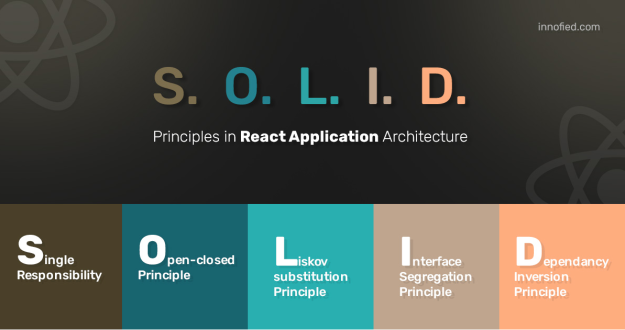
Going back to SOLID. SOLID is a shortening for 5 important design principles Object Oriented Programming
S — Single responsibility principle
O — Open/closed principle
L — Liskov substitution principle
I — Interface segregation principle
D – Dependency inversion principle
I will talk about the first tow principles in this post.
Single responsibility principle
It means that every class and module should be responsible
or have responsibility of a single part of the software functionality. It is
like do one thing and do it well. Uncle Bob defines a responsibility as a ‘reason
to change’ which means that the class or the module don’t need more than one reason
to be change.
For example lets look to this code:
This code violates the SOLID first principle, the method CreateBlog() has to do many responsibilities, create a Blog, and log an error in the DB and also log an error in the file. which is absolutely the opposite of the Single responsibility principle
class Author
{
void CreateBlog(Database db, string publishtText)
{
try
{
db.Add(publishtText);
}
catch (Exception ex)
{
db.LogError(“There is an Error: “, ex.ToString());
File.CheckAllText(“There is a Local Errorn in.txt”, ex.ToString());
}
}
Lets try to fix the problem in the code above.
class Blog { private ErrorLogger errorLogger = new ErrorLogger();
class ErrorLogger
{
void log(string error)
{
db.LogError(“There is an Error: “, error);
File.CheckAllText(“\There is a Local Errorn in.txt”, error);
}
}
We created two classes each one of them will handles one responsibility,
and that will no longer violate the single responsibility principle.
Open/closed principle
It means that the software entities (classes, modules, functions, ….) has to be closed for modification however has to be open for extensions.
We know from the Object-Oriented Programming or OOP, the polymorphism , and I posted a blog explaining about polymorphism. In another word we need to create inheritance or implementing an interfaces in the code to make sure it is compliant with the open/closed principle
lets look to this code and see whether it is applying the Open/closed principle
class Blog { void CreateBlog(Database db, string publishtText) { if (publishtText.StartsWith(“!”)) { db.AddAsTag(publishtText); } else { db.Add(publishtText); } } }
What we want in this code is to do a exact one thing which is the every time a published Text start with the character ‘!’, the code is violates the open/closed principle. If in the future we needed wanted to include mentions all the published text starting with ‘#’, then modifying the class with an another ‘else if’ is a must added to the method().
Lets try to fix the problem in the code above.
class Blog { void CreateBlog(Database db, string publishtText) { db.Add(publishtText); } }
class TagText : Text { override void CreateBlog(Database db, string publishtText) { db.AddAsTag(publishtText); } }
It is much easier to create extended behavior to the Blog object by using inheritance and overriding the CreateBlog() method.
That is all I have for this week, and next week I will continue on the SOLID principles and talk about the other three principles .
For my last blog for this course instead of taking one
particular course subject, summarizing it, and theorizing about what actual
implementations may look like – I’d like to look at the whole course and do the
same. More specifically, I would like to cover how bugs or defects are actually
addressed, or not, in Software Development and Testing. To do this I have found
some interesting blog posts which argue that 100% of bugs may be able to be
fixed, but shouldn’t be. Instead, one should focus on serving the vast majority
of users under expected circumstances.
Both blogs
focus on how impractical, and expensive, maintaining 100% stability or up-time
is. In the first focusing on bugs specifically they give many reasons why this
goal is unadvisable. The first is the prevalence of Agile Development,
dominating nearly the entire software development landscape. As such, the constraints
of this fast-paced development style limit the ability to do traditional QA testing;
if a program can have several revisions in a week, maybe even a day, then how
could a team reasonable test all these iterations. Instead, the author suggest
a stability monitoring tool to automatically test each revision.
In
addition, they suggest that eliminating 100% of bugs would eliminate many which
users would never see, so why waste resources addressing them? Even if you
could fix everything how could you possibly know? This focus is reinforced when
considering the truly incredible breadth of devices that one may have consider,
and specifically in mobile development: where they cite the over 24,000
different android devices on the market. One must focus on the average expected
user experience and not waste time fussing with the outliers until, presumably,
a bug report is filed.
The second blog discusses
defects in systems in a similar way, covering more or less the same points, although
mentioning a rather obscure possibility: being legally challenged for claiming
that your product has no defects. Instead, what I believe they are trying to emphasize
is that products are always fallible, and the amount of resources required to
get them even close is impossible or impractical. As a result, as we move
forward in this class and towards graduation I think we should resist the impulse
to try for complete perfection and instead focus on what is achievable and
provides the best experience for the majority of users.
Let’s start by discussing javascript a bit. Javascript is currently a must know programming language in the computer science world. It is widely used for web development on both front-end and back-end development. Javascript can also be found in many other fields of development including mobile apps, desktop apps, and game development.
Javascript language is quite user friendly and can even be considered easy to learn but it doesn’t come without its concerns of course. The same code you’ve written may work differently when used in different browsers such as Google Chrome versus explorer, or safari, for example. Javascript is also very stripped down so it can be easy to create errors by mistake especially for beginners. An example of this is that Javascript is dynamically typed. Programs don’t know the types of variables until they are assigned at runtime and then they must do an awful lot of referencing to figure out the type depending on the size of the program. Since types are not required there are no compiling errors or messages to tell you what you are doing wrong. It leaves a hard traced error if or not careful when working with your code.
Now moving on to Typescript!
Typescript is a superset of Javascript which means it contains all the same functionality of Javascript as well as added features. Typescript compiles to plain Javascript so any code you write in Javascript will run just fine in Typescript, as long as you have written it correctly of course. The big additions of Typescript are type annotations, interfaces, and classes.
As opposed to Javascript, which is dynamically typed, Typescript uses static typing. Static typing means that things like variable types can be checked at compile time since variable annotations are available. The code will still run if you have an error but you will receive a message warning you about the specific error that was detected. Also depending on your IDE it may offer the function of displaying errors to the user while they are typing. If you want to take advantage of this functionality then you can check out the Visual Studio Code IDE, which contains that function.
I chose to blog about this subject because I am a newcomer to this language and material. I figured if I did some research on my own and actually typed out the words then it would all become more clear to me what the relationship of Typescript was to Javascript and what they are used for in the real world. I feel now that I have this general overview and understanding of the language and its use that I can now conceptualize my own uses for it. I’m looking forward to implementing what I have learned about Typescript into my own projects.
Lease, Diana. “TypeScript: What Is It & When Is It Useful?” Medium, Frontend Weekly, 31 Jan. 2018, medium.com/front-end-weekly/typescript-what-is-it-when-is-it-useful-c4c41b5c4ae7.